
Developer Tool · laser CLI
One binary.
Two modes.
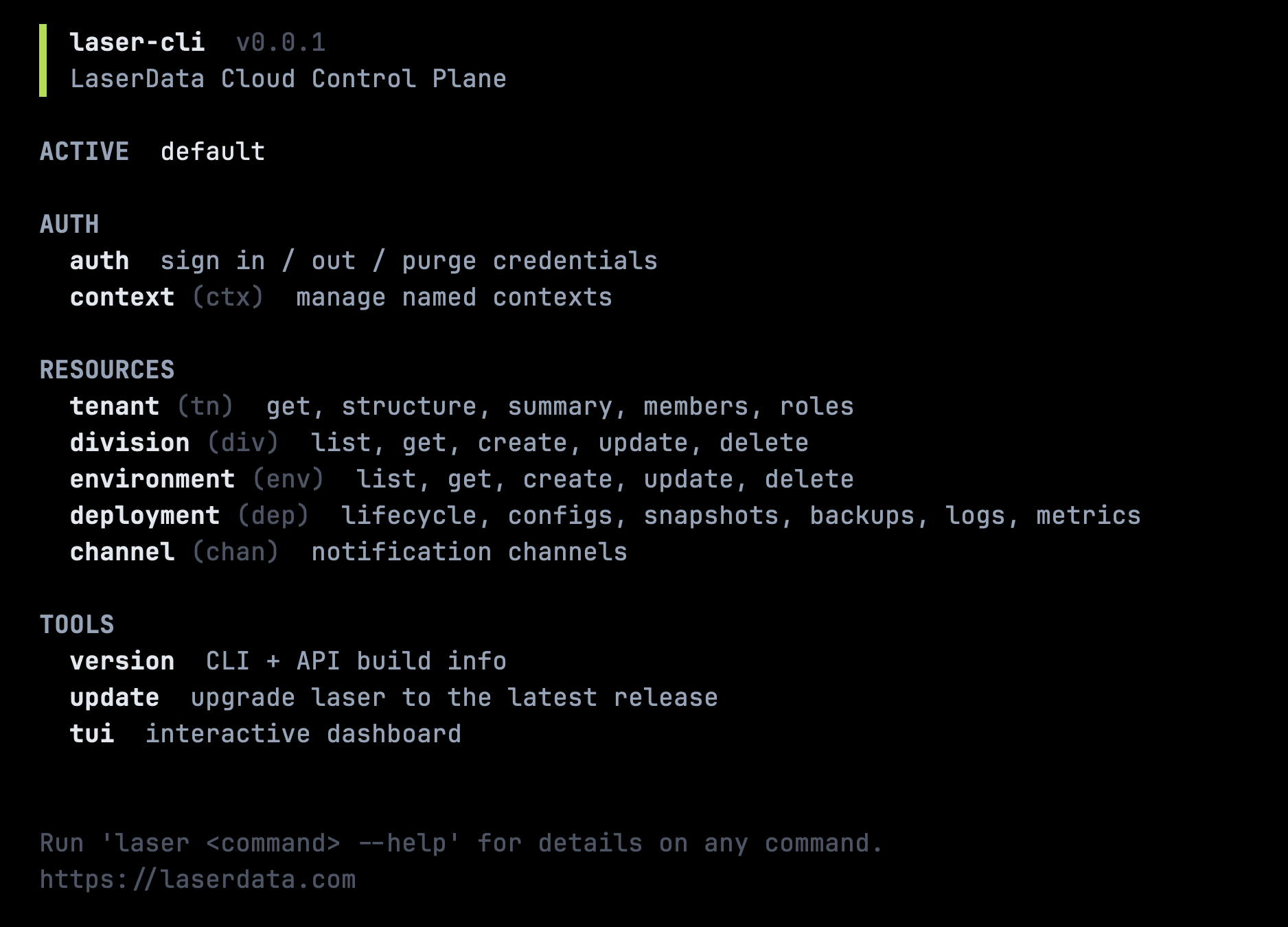
laser is a single binary that drives the entire LaserData Cloud control plane from your terminal. Headless verbs for scripts, CI and pipes. A full-screen TUI dashboard for interactive work. Same binary, same config, same credentials.
$ curl -fsSL https://cli.laserdata.cloud/install.sh | shAdd --with-cc-skills for the Claude Code skill pack.
Headless when you script.
Interactive when you explore.
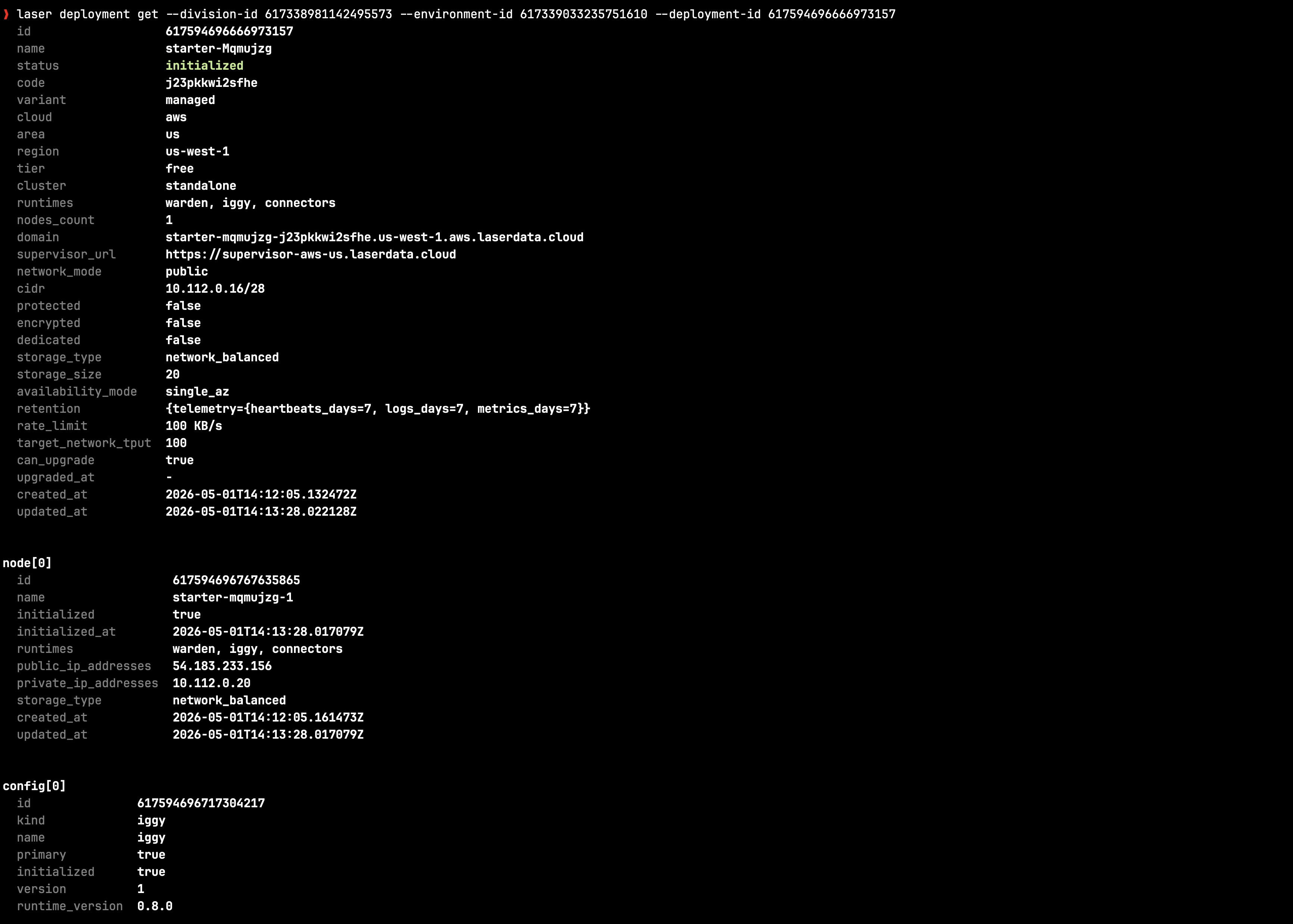
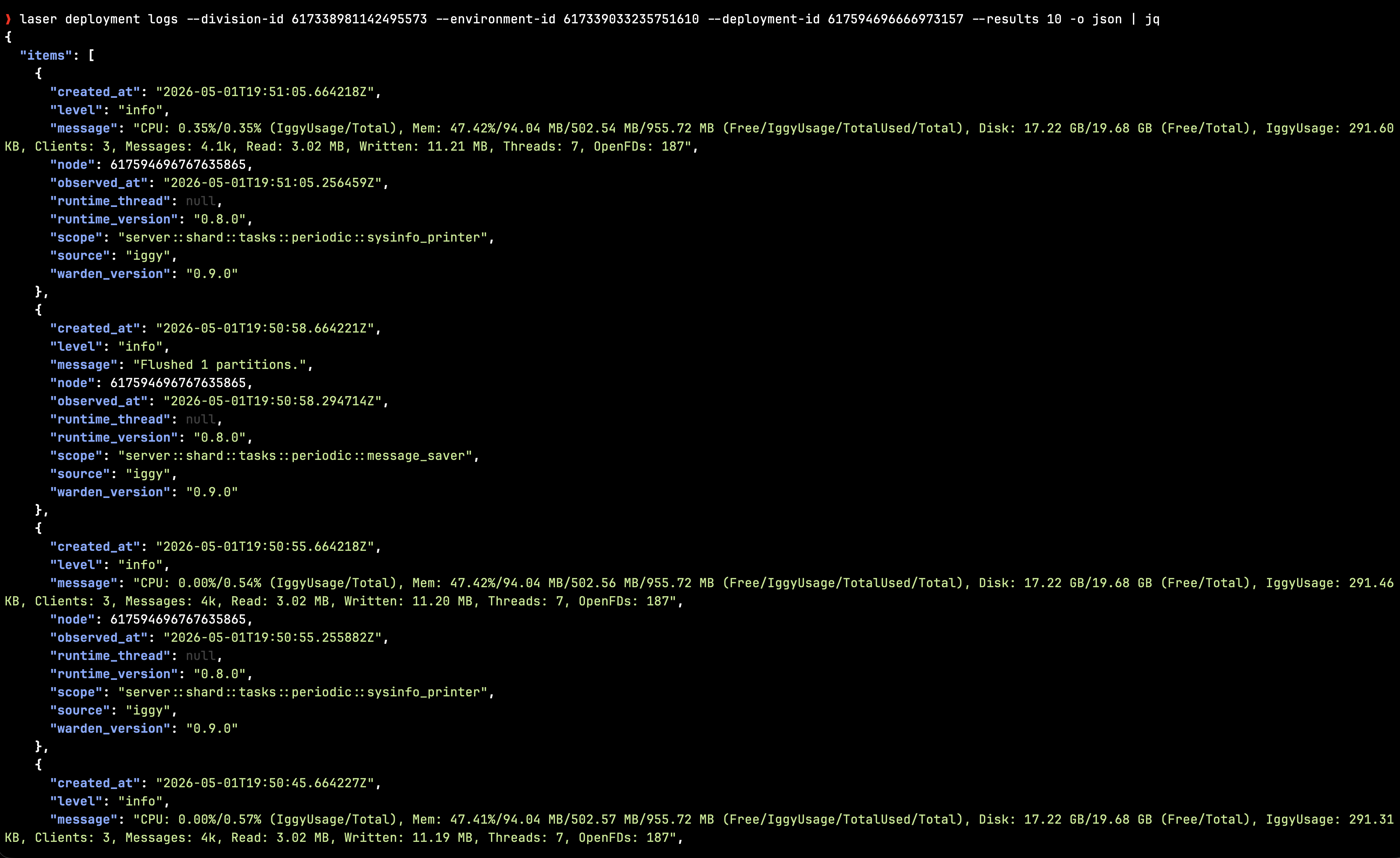
Every verb runs in either mode. Pipe laser deployment list -o json from a cron job, or pop the same view inside the dashboard with laser tui.
From zero to a starter deployment in a minute.
# 1. Install (SHA-256 verified, drops into ~/.local/bin)
curl -fsSL https://cli.laserdata.cloud/install.sh | sh

# 2. Sign in. API key lands in the OS keyring; tenant id is required.
laser auth login --tenant-id <numeric-id>

# 3. Explore your tenant
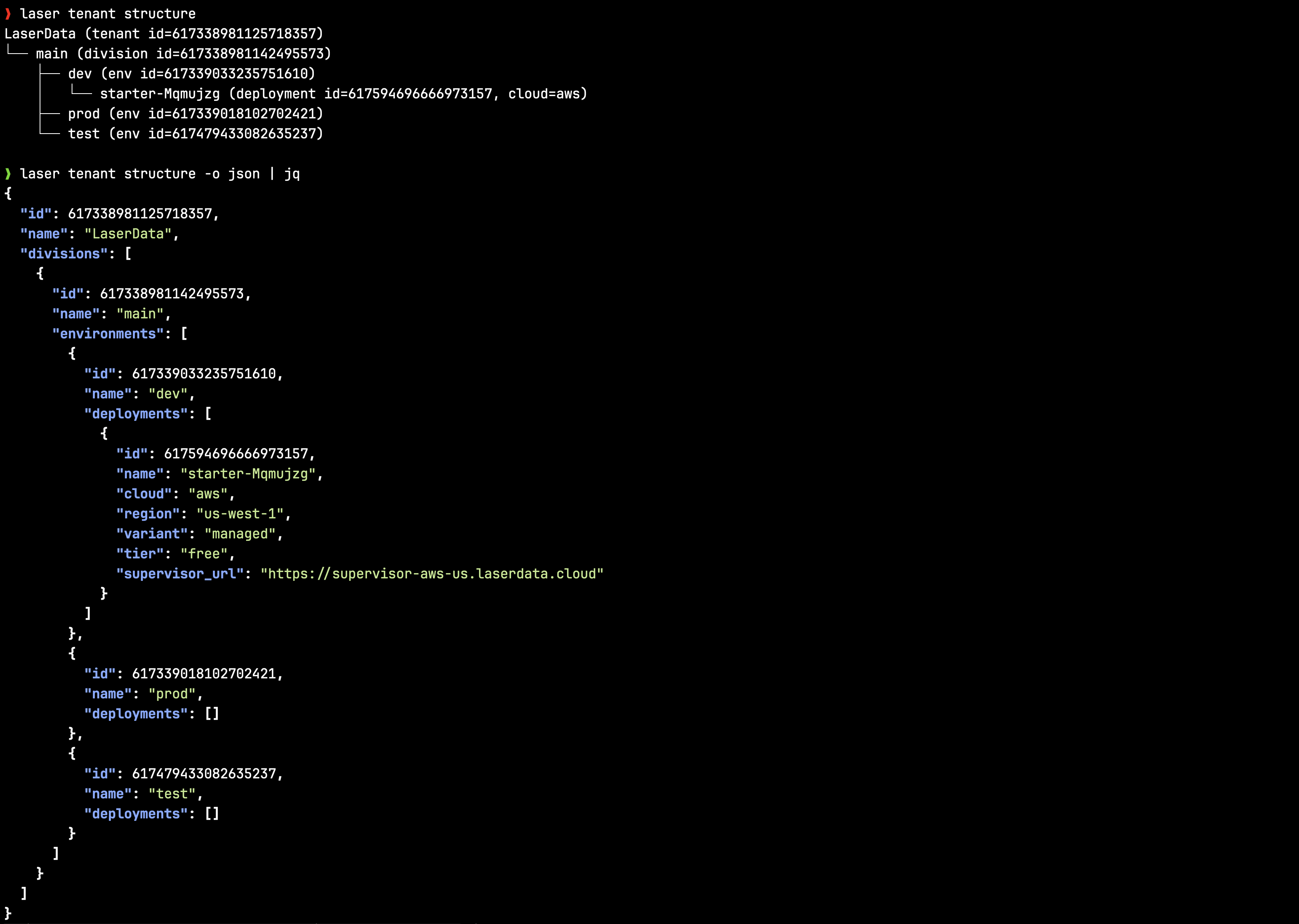
laser tenant get
laser tenant structure -o json

# 4. Launch the dashboard
laser tui

# 5. Spin up a starter deployment (AWS or GCP)
laser deployment create-starter --cloud aws --region us-east-1
laser deployment watch --deployment-id <id>$ curl -fsSL https://cli.laserdata.cloud/install.sh | sh -s -- --with-cc-skills$ curl -fsSL https://cli.laserdata.cloud/install.sh | sh -s -- --version v0.2.1$ curl -fsSL https://cli.laserdata.cloud/install.sh | sh -s -- --to /usr/local/bincurl -fsSL https://cli.laserdata.cloud/install.sh \
| sh -s -- --version v0.2.1 --to /usr/local/bin --with-cc-skills$ laser update$ curl -fsSL https://cli.laserdata.cloud/claude.sh | shsh -s --| --to <dir> | Install dir (default ~/.local/bin) |
| --version <vX.Y.Z> | Pin release tag (default latest) |
| --with-cc-skills | Also install the Claude Code skill pack |
| --help | Show usage |
| LD_VERSION | Pin release tag |
| LD_PREFIX | Override install dir |
Idempotent: re-running upgrades the binary (overwrite) and the skill pack (cp -f) in place. Safe to script in CI or dotfiles.
Use the CLI when the job is operational.
Reach for laser when an agent needs to inspect or operate a LaserData Cloud tenant without building an API client. Use the REST API for a long-lived application integration and the Laser SDK for publishing, querying, memory, context, or agent-fabric data-plane operations.
- • Request machine-readable output explicitly with -o json.
- • Read the process exit code before parsing output.
- • Keep credentials in environment variables or the OS keyring.
- • Confirm destructive commands unless authorization is explicit.
export LD_API_KEY=ld_pat_...
export LD_TENANT_ID=<numeric-id>

laser deployment list -o json
laser deployment watch --deployment-id <id> -o jsonThings you’ll actually reach for.
Secrets stay in the keyring
Per-context API keys live in the OS keyring (Secret Service on Linux, Keychain on macOS). Only context names hit disk; the config file is written 0600 via atomic temp-then-rename. TUI history redacts every secret-bearing flag (--api-key, --token, --password, and friends) before persisting.
Pipe-friendly output
Auto-detects TTY vs pipe: aligned tables in your terminal, stable JSON when scripted. YAML and name-only modes for kubectl-style xargs pipelines.
Command palette
Hit : or / inside the TUI to run any headless verb against the live dashboard. ↑/↓ cycle candidates while the palette is open and command history when it’s closed. Enter or Tab accepts the highlight.
One verb, two surfaces
Append --interactive to any verb (laser deployment list --interactive) to seed the TUI with the resolved command and its rendered output.
Shell completions
Bash, Zsh, Fish, PowerShell and Elvish completions ship in the binary. laser --generate zsh > ~/.zfunc/_laser.
Always-on debug log
Every invocation writes a daily rolling log under XDG_DATA_HOME (or the platform equivalent on macOS), even with --silent. Tune verbosity with LD_LOG / LD_LOG_FILE using standard tracing directives.
Drive laser with plain language.
The official laser-cli-claude skill pack ships slash commands like /laser-deploy and /laser-troubleshoot. Dry-run before execute, JSON-only parsing, OS keyring for credentials, per-entry confirmation for destructive ops.
/plugin marketplace add laserdata/laser-cli-claude
/plugin install cli@laser$ curl -fsSL https://cli.laserdata.cloud/claude.sh | shAlready installing the CLI? Add --with-cc-skills to the install one-liner above to bundle the skill pack in the same step.
| Skill | Purpose |
|---|---|
| /laser-onboard | First-run setup: install the binary, walk through sign-in, sanity-check the active context. |
| /laser-deploy | Translates "spin up Iggy in eu-west-1 on small" into the matching create-managed / create-starter / create-byoc invocation. Cloud, region, tier and storage are pulled from the API. |
| /laser-config | Manages versioned deployment configs (iggy, connectors, warden, individual connector instances). List, view, create new versions from JSON, activate, delete, plus connector-instance lifecycle. |
| /laser-troubleshoot | Pulls metrics, heartbeats, recent logs and access rules for a deployment in trouble. Returns a structured health report with a concrete next step. |
| /laser-snapshot | Manages diagnostic HTML snapshots covering system state, runtimes, certificates, kernel parameters and logs. |
| /laser-backup | Point-in-time backups of storage volumes on AWS network-storage deployments. List, create, restore, and delete with safety checks. |
| /laser-access | Lists, adds and deletes CIDR allowlists on a deployment. |
| /laser-credentials | Reads deployment connection credentials safely. Output is masked in chat and never persisted. |
| /laser-channel | Manages tenant notification channels (Slack, webhook, email): create, get, list, update, delete, test, inspect delivered notifications. |
| /laser-iam | Tenant identity + access surface: API keys, members, roles, invitations, and registered cloud accounts. All scoped to the active tenant. |
| /laser-audit | Queries the tenant audit log with rich filters (time, division, environment, deployment, user, types, correlation id) for incident forensics and compliance. |
| /laser-billing | Reads the tenant billing surface: subscription info, billing reports, invoices, and invoice-PDF download. |
| /laser-context | Lists, switches, creates, renames and deletes named contexts. |
| /laser-debug | Reads the local debug log and surfaces recent failures grouped by target. |
Ready to drive Cloud from your terminal?
Install the binary, sign in, and spin up a starter deployment in under a minute.